WordPress vs Headless CMS: Which Is Right for Your Business Website?
By Digitexa AI ·
- Type
- Blog Post
- Topic
- Wordpress vs headless cms
- Reading time
- 5 min read
- Published
- 2 November 2026
Key takeaway
Short answer: WordPress is the right choice for most small and mid-sized business websites that need to launch quickly, be edited by non-technical staff and stay within a modest budget. A headless CMS suits businesses that need top-end performance, content shared across a website, app and other channels, or complex custom features, and that have access to ongoing development support.
What is the difference between WordPress and a headless CMS?
A content management system (CMS) is where your team writes and stores website content. The difference is how that content reaches the visitor.
- Traditional WordPress handles both jobs. It stores the content and builds the pages using a theme. Back end and front end live together.
- A headless CMS only stores and manages content. It sends that content through an API to a separate front end, often built with a framework such as Next.js. The "head" (the visible website) is detached.
Popular headless options include Drupal, Contentful, Sanity and Strapi. WordPress can also run headless, using its REST API or GraphQL through a plugin, with a separate front end.
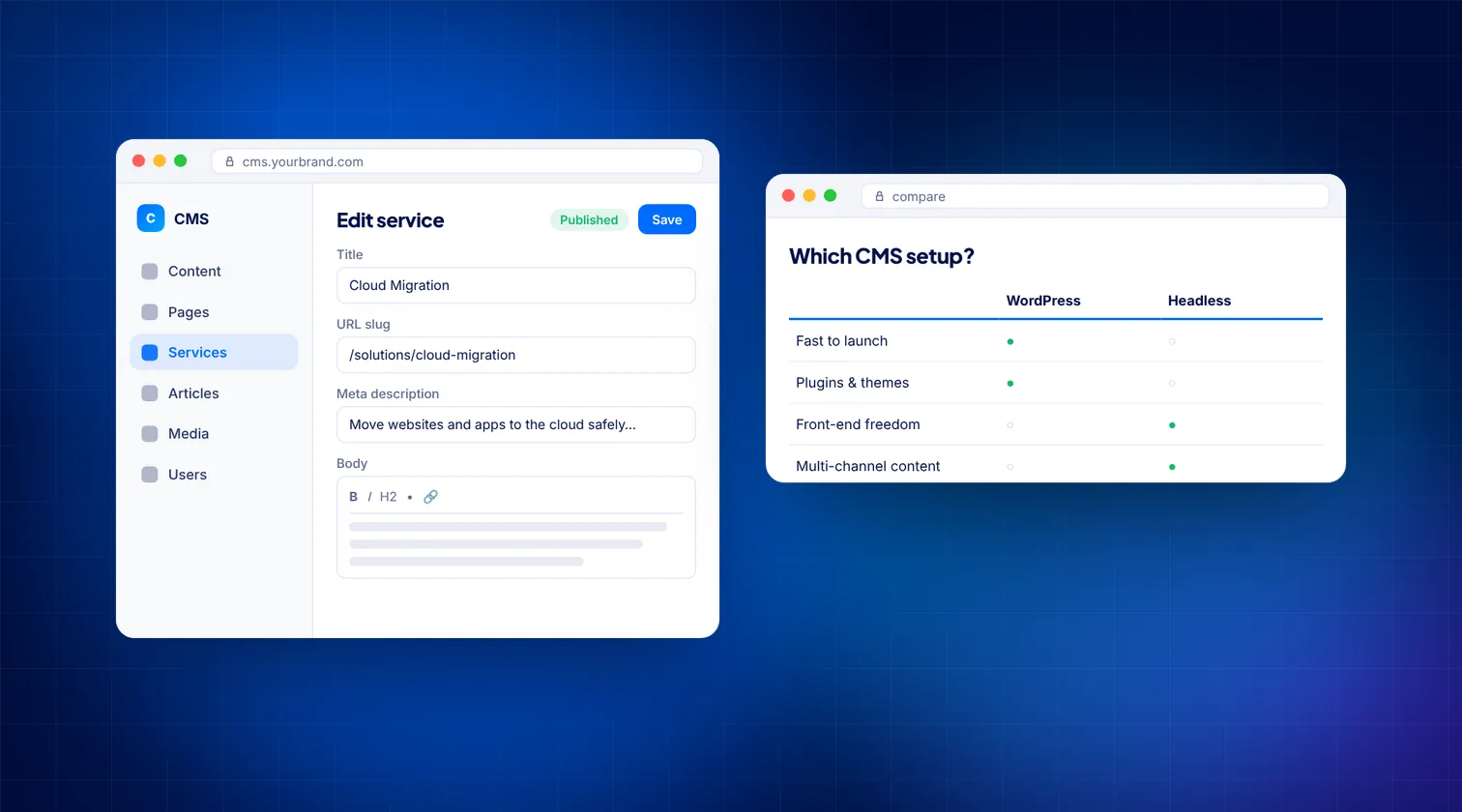
How do WordPress and headless compare side by side?
| Factor | Traditional WordPress | Headless CMS |
|---|---|---|
| Time to launch | Fast, especially with a good theme | Longer; front end is built from scratch |
| Upfront build effort | Lower | Higher, needs front-end developers |
| Ongoing upkeep | Plugin, theme and core updates | Two systems to maintain, plus hosting for each |
| Editing experience | Familiar block editor with live preview | Structured fields; preview needs extra setup |
| Performance | Good with care; can slow down with heavy plugins | Very fast when well built, using static or server rendering |
| Security exposure | Larger attack surface through plugins and admin login | Smaller public surface; CMS can be kept off the public site |
| Multi-channel content | Mainly built for one website | Designed to feed websites, apps, kiosks and more |
| Plugin ecosystem | Huge; most features available off the shelf | Many features need custom development or third-party services |
| Hiring | Large pool of WordPress developers | Needs JavaScript framework and API skills |
When is WordPress the better choice?
WordPress has powered business websites for a long time for good reasons. It is a sensible default when:
- You need a brochure site, service pages and a blog, launched within weeks.
- Marketing staff want to create and change pages without a developer.
- You rely on proven plugins for forms, SEO, bookings or WooCommerce.
- Your budget for ongoing development is limited.
- Your content only needs to appear on one website.
The common complaints about WordPress, such as slowness and security problems, usually come from too many plugins, cheap hosting and skipped updates. A lean theme, a small set of well-maintained plugins, decent managed hosting and caching go a long way. Our WordPress development work focuses on exactly this kind of clean build.
When does a headless CMS make more sense?
Headless earns its extra cost when your needs outgrow a single themed website:
- Several channels. The same product or service content feeds a website, mobile app, partner portal or in-store screens.
- Demanding performance. You want consistently fast pages at scale, with fine control over rendering and caching.
- Complex custom features. Calculators, account areas or app-like journeys that would fight a WordPress theme.
- Multiple sites or languages. One content hub serving several brands, regions or language versions.
- Stricter security needs. You want the editing system kept away from the public internet.
- An in-house or retained development team who can maintain a modern JavaScript front end.
Drupal is a strong option for headless builds that need fine-grained user roles, complex content models and multilingual support. Our headless Drupal service is designed for those cases.
What drives the cost of each option?
Exact costs vary widely, so it helps to understand what pushes them up or down.
WordPress cost drivers
- Custom theme design versus adapting an existing theme.
- Number of premium plugins and their yearly licences.
- Quality of hosting, which is usually a small monthly fee.
- Time spent on updates, backups and security monitoring.
Headless cost drivers
- Building the front end from scratch, which takes more development time.
- Subscription tiers for SaaS headless platforms, often priced by users, content volume or API usage.
- Hosting for two parts: the CMS and the front end.
- Rebuilding features that WordPress plugins would provide, such as forms, search or SEO fields.
- Ongoing developer time for framework and dependency upgrades.
In general, headless costs more to build and maintain. The return comes from performance, flexibility and reuse, so it pays off when you actually need those things.
Which is better for SEO?
Neither is automatically better. Search engines care about the HTML they receive, page speed, structure and content quality.
- WordPress makes the basics easy. SEO plugins handle titles, meta descriptions, sitemaps, canonical tags and schema with little effort.
- Headless can be excellent for SEO, but only if the developers build those basics in. Pages should be rendered on the server or pre-rendered, so search engines and AI crawlers receive full HTML rather than an empty shell waiting for JavaScript.
Whichever you choose, check that every page has proper metadata, clean URLs, a sitemap and fast Core Web Vitals.
What about redirects during a move?
Switching platforms is the riskiest moment for SEO. URLs often change, and old links break. Before launch, map every old URL to its new address and set up permanent 301 redirects. Keep page titles and key content broadly the same where possible, then watch Search Console closely for a few weeks after go-live to catch any indexing drops early.
Can you start with WordPress and go headless later?
Yes. Many businesses take a staged approach:
- Launch on a clean, well-structured WordPress site.
- Use custom post types and fields so content is already structured, not locked in page-builder layouts.
- When needs grow, keep WordPress as the content store and build a new front end that reads from its API.
- Or migrate content to a dedicated headless platform once the content model is proven.
The key is to avoid storing all your content inside a visual page builder. Structured content is far easier to move later.
How do you decide?
Answer these questions honestly:
- Does your content need to appear anywhere other than one website?
- Do you need features that go well beyond what plugins offer?
- Will you have developers available month to month, not just at launch?
- Is page speed at scale a commercial priority, for example on a large catalogue or high-traffic site?
- Can your editors work with structured fields instead of a visual page editor?
If you answered "no" to most of these, WordPress is likely the better fit. If you answered "yes" to several, headless deserves a serious look.
How Digitexa AI can help
We build both well-optimised WordPress sites and headless platforms, and we are happy to recommend the simpler option when it fits. If you are weighing up a rebuild, take a look at our web development services or contact us for an honest opinion.
Frequently asked questions
Is headless WordPress a good idea?
It can be, if your team already knows WordPress and you need a faster or multi-channel front end. You lose some plugin features that depend on the theme, so plan for extra development.
Is a headless CMS more secure than WordPress?
A headless setup usually exposes less to the public internet, because the CMS can sit behind restricted access. A well-maintained WordPress site with few plugins and regular updates can also be secure.
Is headless faster than WordPress?
A well-built headless front end is usually very fast, but a poorly built one can still be slow. A lean WordPress site with good hosting and caching can also pass Core Web Vitals.
Can non-technical staff edit a headless CMS?
Yes. Most headless platforms have friendly editing screens, but they use structured fields rather than a visual page layout, and live preview needs extra setup.
More insights

How to Automate Business Invoicing and Payment Reminders
This guide explains how small businesses can use n8n and Make to automate their invoicing workflows and payment reminders to ensure faster payments and fewer errors.
Read more
How to Hire an AI Developer: What to Prepare and How to Avoid Overpaying
A practical guide for small and mid-sized businesses on how to prepare for, vet, and hire an AI developer while managing costs and ensuring project success.
Read more
Custom Software vs Off the Shelf: How to Choose for Your Business
A practical guide comparing custom software and off-the-shelf SaaS to help growing businesses select the right digital infrastructure for their needs.
Read more