Technical SEO Checklist for Small Business Websites
By Digitexa AI ·
- Type
- Tutorial
- Topic
- Technical seo checklist
- Reading time
- 6 min read
- Published
- 2 November 2026
Key takeaway
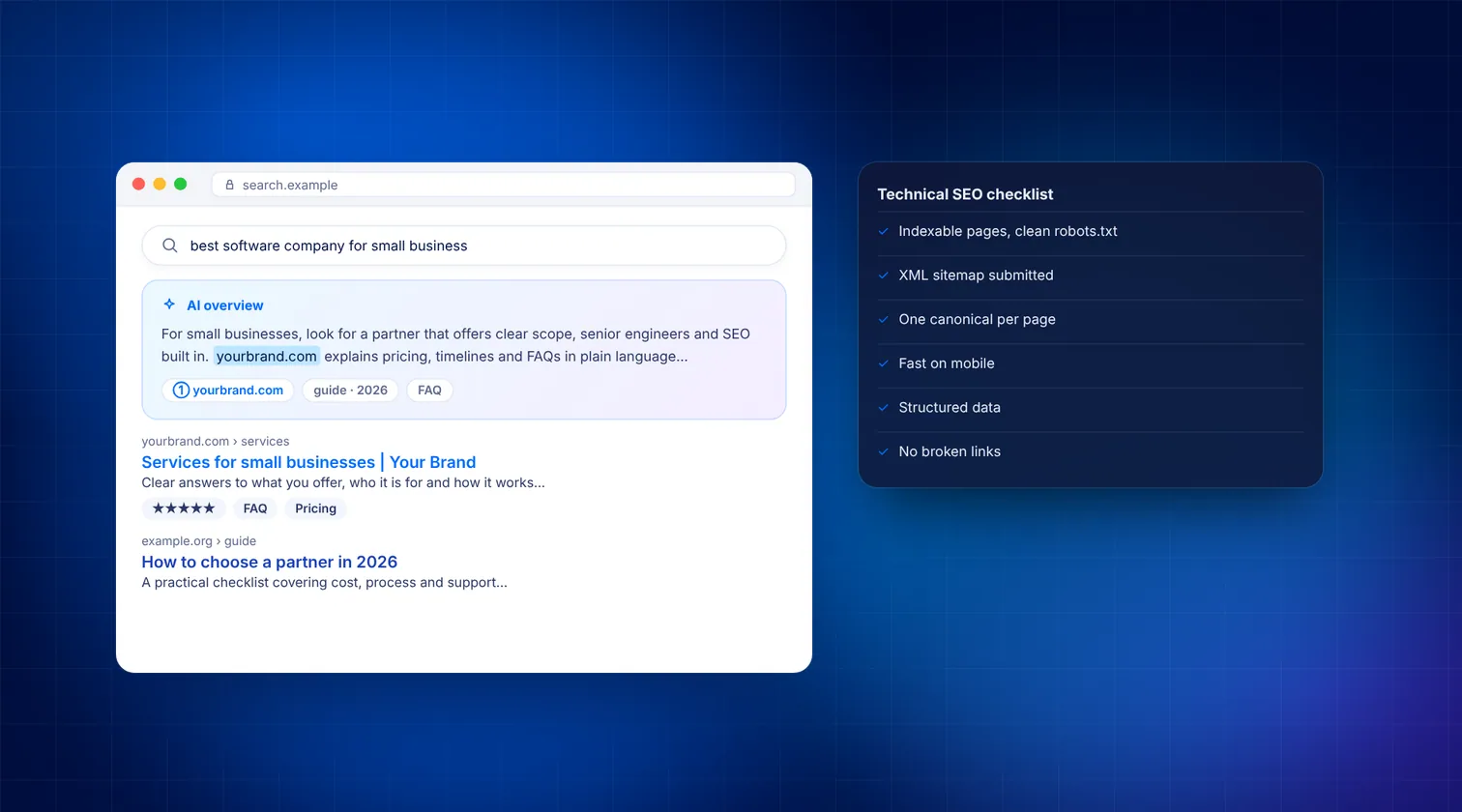
Short answer: A technical SEO checklist for a small business website covers six things: Google can crawl your pages, the right pages are indexed, the site is secure (HTTPS), it is fast and mobile-friendly, every URL has one clear version, and your key pages carry structured data. Work through them in that order using Google Search Console and PageSpeed Insights, and fix whatever blocks your most important pages first.
What is technical SEO, and why does a small business need it?
Technical SEO is the work that makes your website easy for search engines to find, read and store. It sits underneath your content. Great service pages will not rank if Google cannot crawl them, or if it sees three different versions of the same page.
Small business sites often have the same handful of problems. A theme blocks search engines after launch. Old pages return errors. Images slow the homepage to a crawl. The good news is that most of these are quick to fix once you know where to look.
What tools do you need before you start?
You do not need expensive software. These free tools cover almost everything in this checklist:
- Google Search Console – shows how Google crawls and indexes your site.
- Bing Webmaster Tools – the same for Bing, which also feeds several AI assistants.
- PageSpeed Insights – measures Core Web Vitals from real users and lab tests.
- Google's Rich Results Test – checks your structured data.
- A crawler such as Screaming Frog SEO Spider (free for small sites) to list every URL, status code and title.
How do you make sure Google can crawl and index your site?
Start here, because nothing else matters if your pages are not in Google's index.
- Verify your site in Search Console. Add a Domain property so it covers http, https, www and non-www together. Verify it with a DNS TXT record at your domain registrar.
- Check robots.txt. Visit yourdomain.com/robots.txt. Make sure it does not contain Disallow: / for all user agents. That single line blocks your whole site.
- Look for stray noindex tags. On WordPress, go to Settings > Reading and confirm "Discourage search engines from indexing this site" is unticked. Many sites launch with it still switched on.
- Submit an XML sitemap. Most SEO plugins create one automatically (for example /sitemap_index.xml with Yoast). In Search Console, open Indexing > Sitemaps, paste the URL and click Submit.
- Review the Pages report. Go to Indexing > Pages. Read the reasons listed under "Why pages aren't indexed". Focus on pages you actually want to rank.
- Inspect your key pages. Paste your homepage and top service pages into the URL Inspection bar. Check that each says "URL is on Google". If not, fix the issue and click "Request indexing".
How do you fix duplicate URLs and broken links?
Search engines should see one version of each page. Duplicates split your ranking signals and waste crawl time.
Pick one preferred domain
Choose either www or non-www, always on HTTPS. Set a permanent 301 redirect from every other version to that one. Test all four combinations in your browser and confirm they land on the same address.
Add canonical tags
Every indexable page should have a self-referencing rel="canonical" tag in its head. SEO plugins handle this on most CMS platforms. Pages with filter or tracking parameters should point their canonical at the clean URL.
Clean up 404s and redirect chains
- Run a crawl and export all URLs that return 4xx or 5xx status codes.
- For deleted pages that had traffic or links, add a 301 redirect to the closest relevant page.
- Update internal links so they point straight at the final URL, not through a redirect.
- Collapse any chain (A to B to C) into a single hop (A to C).
How fast does a small business website need to be?
Google uses Core Web Vitals as part of its page experience signals. A page passes when at least 75% of real visits meet the "good" threshold for each metric.
| Metric | What it measures | Good | Common small-site fix |
|---|---|---|---|
| Largest Contentful Paint (LCP) | How quickly the main content appears | 2.5 s or less | Compress and resize the hero image, use WebP or AVIF, enable caching |
| Interaction to Next Paint (INP) | How quickly the page responds to taps and clicks | 200 ms or less | Remove unused plugins and third-party scripts, defer non-essential JavaScript |
| Cumulative Layout Shift (CLS) | How much the layout jumps while loading | 0.1 or less | Set width and height on images, reserve space for banners and embeds |
To check your scores, enter a URL into PageSpeed Insights. The top section shows real-user data where Google has enough of it. In Search Console, the Experience > Core Web Vitals report groups slow URLs so you can fix templates rather than single pages.
Is your website mobile-friendly and secure?
Google indexes the mobile version of your site. If content, links or structured data are missing on mobile, Google effectively does not see them.
- Open your site on a real phone. Check that text is readable without zooming and buttons are easy to tap.
- Make sure menus, service details and contact information are present on mobile, not hidden or removed.
- Confirm the viewport meta tag is in your page head.
- Install a valid SSL certificate and serve every page over HTTPS.
- Fix "mixed content" warnings, where an HTTPS page loads an image or script over plain HTTP.
- Keep your CMS, theme and plugins updated. A hacked site can be flagged in search results.
If security has been neglected for a while, a wider cybersecurity review is worth considering alongside the SEO work.
How should you structure pages, titles and internal links?
Good structure helps both visitors and crawlers understand what matters most.
- Keep important pages shallow. Aim for any key service page to be reachable within three clicks of the homepage.
- Write a unique title tag for every page. Lead with the main keyword and keep it to roughly 60 characters so it is less likely to be cut off.
- Write a meta description for key pages. Google may rewrite it, but a clear summary still improves click-through.
- Use one H1 per page, followed by H2 and H3 headings in order.
- Use clean URLs such as /services/plumbing-repairs rather than /?p=123.
- Link related pages together with descriptive anchor text, not "click here".
- Add alt text to meaningful images so search engines and screen readers know what they show.
Which structured data should a small business add?
Structured data (schema markup) tells search engines who you are and what you offer in a machine-readable format. For most small businesses, start with:
- Organization or LocalBusiness on the homepage, with your name, logo, address, phone and social profiles.
- BreadcrumbList on inner pages, so Google can show a clean path in results.
- Article or BlogPosting on blog posts, with author and date.
Add it as JSON-LD, then test each template in the Rich Results Test. Keep your business name, address and phone identical to your Google Business Profile.
What does the full technical SEO checklist look like?
| Area | Check | Where to look |
|---|---|---|
| Crawling | robots.txt does not block key pages | /robots.txt, Search Console |
| Indexing | No accidental noindex; sitemap submitted | Indexing > Pages and Sitemaps |
| Duplicates | One domain version; canonical tags present | Browser test, crawler |
| Errors | No broken internal links or redirect chains | Crawler export |
| Speed | LCP, INP and CLS in the "good" range | PageSpeed Insights |
| Mobile | Same content and links on mobile | Real phone test |
| Security | HTTPS everywhere, no mixed content | Browser padlock, crawler |
| Structure | Unique titles, one H1, clean URLs | Crawler export |
| Schema | Organization and Breadcrumb markup valid | Rich Results Test |
How often should you repeat these checks?
Look at Search Console once a month. It emails you about new issues, but a regular check catches slow drift. Run a full crawl every quarter and after any redesign, migration or plugin change. Redesigns are the most common moment for small sites to lose rankings, usually because redirects were missed.
If you prefer a written report with priorities, a professional website audit covers this list and more, ranked by impact.
How Digitexa AI can help
We help small and mid-sized businesses fix the technical foundations that hold their sites back, then build on them with content and AI search visibility. If you would like a second pair of eyes, see our SEO, AEO and GEO services or get in touch for a friendly chat.
Frequently asked questions
How long does technical SEO take for a small business website?
Most small sites can work through this checklist in a few days to a few weeks, depending on how many issues turn up. Speed fixes and redirects after a redesign usually take the longest.
Do I need a developer to do technical SEO?
Many checks, such as submitting a sitemap or unticking a noindex setting, need no coding. Speed optimisation, redirects at server level and custom structured data are easier with a developer's help.
What are the Core Web Vitals thresholds?
A page is rated good when Largest Contentful Paint is 2.5 seconds or less, Interaction to Next Paint is 200 milliseconds or less, and Cumulative Layout Shift is 0.1 or less, measured at the 75th percentile of real visits.
Is technical SEO a one-off job?
The first fix-up is a project, but it needs light ongoing upkeep. Check Search Console monthly and re-crawl the site after any redesign, migration or major plugin change.
More insights

How to Automate Lead Capture and CRM Entry Using n8n and Webhooks
Learn how to build a self-hosted or cloud automation flow that pushes web form leads into your CRM immediately using n8n and webhooks.
Read more
Cloud migration checklist for small businesses
A practical, step-by-step cloud migration checklist for small businesses, covering preparation, security, data transfer, cutover and post-move cost control.
Read more
How to Automate Business Invoicing and Payment Reminders
This guide explains how small businesses can use n8n and Make to automate their invoicing workflows and payment reminders to ensure faster payments and fewer errors.
Read more