
Core Web Vitals for Business Owners: How to Check and Improve Them
By Digitexa AI ·
- Type
- Tutorial
- Topic
- Core web vitals
- Reading time
- 5 min read
- Published
- 2 November 2026
Key takeaway
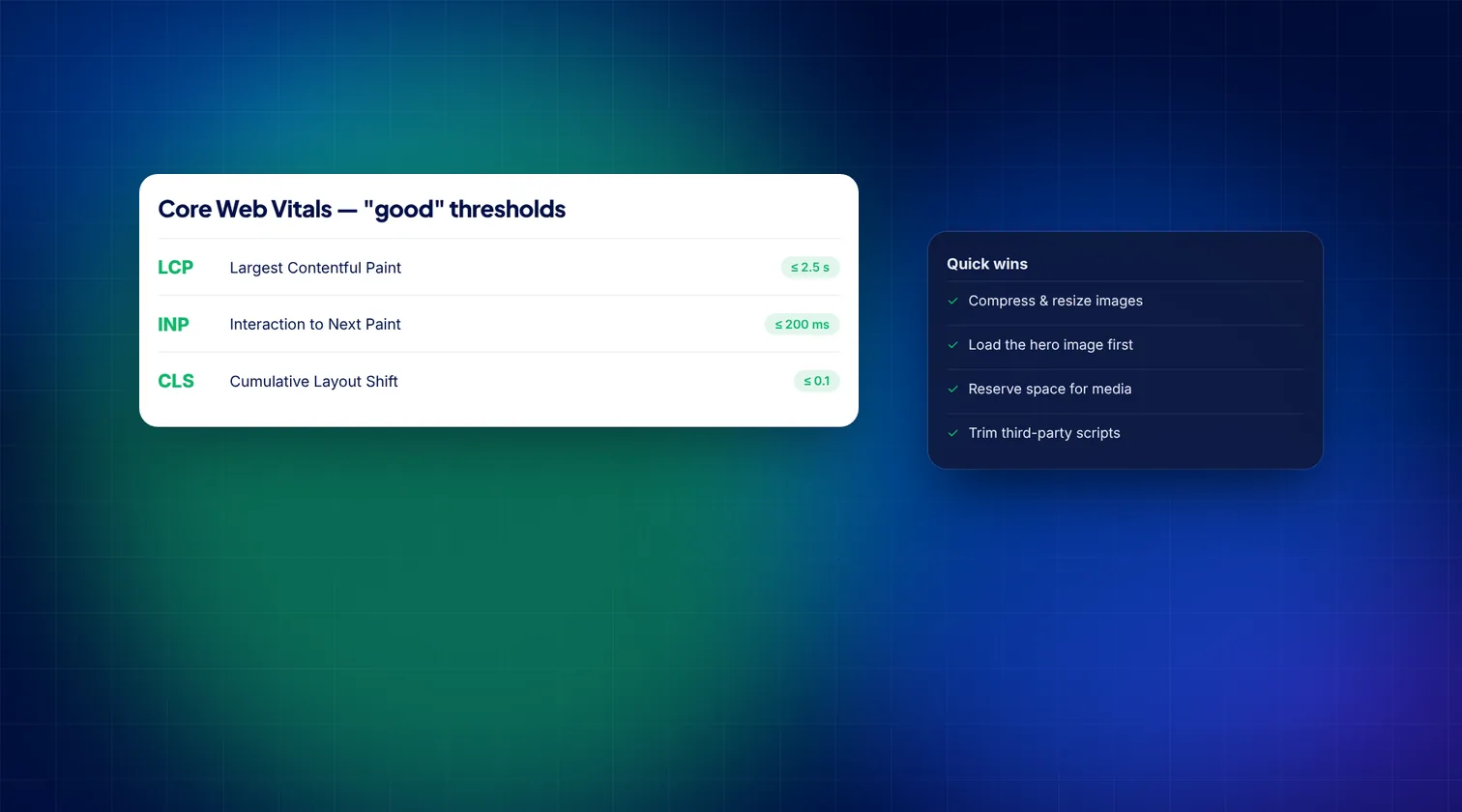
Short answer: Core Web Vitals are three Google measures of how a web page feels to real visitors: how fast the main content loads (LCP, good at 2.5 seconds or less), how quickly the page responds to clicks and taps (INP, good at 200 milliseconds or less) and how stable the layout is while loading (CLS, good at 0.1 or less). You can check them for free in PageSpeed Insights and Google Search Console, then improve them by optimising images, reducing heavy scripts and reserving space for content.
What are Core Web Vitals?
Core Web Vitals are part of Google's page experience signals. They measure real user experience rather than technical scores in a lab. Google uses data from real Chrome users and judges a page as passing when at least 75% of visits meet the "good" threshold for each metric.
| Metric | What it measures | Good | Needs improvement | Poor |
|---|---|---|---|---|
| Largest Contentful Paint (LCP) | Loading: when the biggest visible image or text block appears | 2.5 s or less | 2.5 s to 4 s | Over 4 s |
| Interaction to Next Paint (INP) | Responsiveness: how quickly the page reacts to clicks, taps and key presses | 200 ms or less | 200 ms to 500 ms | Over 500 ms |
| Cumulative Layout Shift (CLS) | Visual stability: how much content jumps around while loading | 0.1 or less | 0.1 to 0.25 | Over 0.25 |
INP replaced an older metric, First Input Delay (FID), in March 2024. If an old report mentions FID, it is out of date.
Why should a business owner care?
- Visitors leave slow sites. A page that loads slowly or jumps as you try to tap a button is frustrating, especially on mobile data.
- Sales and enquiries depend on it. Checkout pages, booking forms and contact forms all need to respond quickly.
- Search visibility. Core Web Vitals are one of many ranking signals. Great content still matters most, but when competing pages are similar, a better experience can help.
- Paid traffic works harder. If you pay for clicks through Google Ads, a slow landing page wastes some of that spend.
How do you check your Core Web Vitals?
Method 1: PageSpeed Insights (any single page)
- Go to pagespeed.web.dev.
- Enter the full address of a page, such as your home page or a key product or service page, and click Analyse.
- Look first at the top section, "Discover what your real users are experiencing". This is field data from real Chrome users. It shows whether the page passes the Core Web Vitals assessment.
- Switch between the Mobile and Desktop tabs. Mobile is usually weaker and matters more for most businesses.
- Scroll down to the Diagnose performance issues section. This is lab data from Lighthouse, a simulated test. Use its suggestions to find causes, but judge success by the field data.
If your site has low traffic, you may see "no data" for real users. In that case, use the lab results as a guide.
Method 2: Google Search Console (whole site)
- Sign in to Google Search Console and select your property. If you have not set it up, add and verify your domain first.
- In the left menu, open Experience and then Core Web Vitals.
- Open the Mobile report, then the Desktop report.
- Click an issue, such as "LCP issue: longer than 2.5 s (mobile)", to see groups of affected URLs with similar problems.
- After fixing an issue, click Validate fix. Google then monitors real user data over the following weeks.
Method 3: Chrome DevTools (for your developer)
In Chrome, right-click a page, choose Inspect and open the Performance panel. It shows live LCP, INP and CLS as you use the page and helps pinpoint which element or script is responsible.
How do you improve each metric?
Improving LCP (loading)
- Optimise the hero image. Resize it to the size it is displayed at, compress it and use a modern format such as WebP or AVIF.
- Do not lazy-load the main image. Lazy-loading is great for images further down, but the largest image above the fold should load straight away. Your developer can also give it a high fetch priority.
- Improve server response time. Use good hosting, page caching and a content delivery network (CDN).
- Reduce render-blocking files. Large CSS and JavaScript files in the page header delay what visitors see.
Improving INP (responsiveness)
- Cut unnecessary third-party scripts. Chat widgets, tracking tags, heatmaps and social embeds all compete for the browser's attention. Remove the ones you no longer use.
- Break up long tasks. Developers can split heavy JavaScript into smaller pieces so the page can respond between them.
- Load non-essential scripts later, after the page has become interactive.
- Review heavy plugins or apps, especially on WordPress and Shopify, where each one can add scripts to every page.
Improving CLS (stability)
- Set width and height on images and videos so the browser reserves space before they load.
- Reserve space for ads, banners and embeds. Cookie banners and promo bars that push content down are common causes.
- Handle web fonts carefully so text does not jump when the custom font arrives.
- Avoid inserting content above existing content unless the visitor asked for it.
Does your website platform make a difference?
Any platform can pass Core Web Vitals, but each has typical weak spots:
- WordPress: page builders, heavy themes and large numbers of plugins are common causes of slow LCP and poor INP. A lean theme and good caching help a lot. Our WordPress development team works on exactly these issues.
- Shopify: the platform is fast at its core, but each app can add scripts to every page. Remove apps you no longer use and check that uninstalled apps have not left code in your theme.
- Custom and headless sites: these can be very fast, but large JavaScript bundles can still hurt INP if they are not split and loaded carefully.
Whatever the platform, the biggest gains usually come from fewer scripts, smaller images and better hosting.
What is a sensible order of work?
- Check Search Console to see which page groups fail and on which device.
- Start with your highest-value templates: home page, key service or product pages, and checkout or contact pages.
- Fix the quick wins first: image sizes, unused plugins and scripts, missing image dimensions.
- Then tackle deeper issues such as hosting, theme code and JavaScript.
- Re-test in PageSpeed Insights and validate fixes in Search Console.
- Recheck after every redesign, new plugin or new marketing tag.
Common myths about Core Web Vitals
- "A score of 100 in PageSpeed is what matters." The performance score is a lab estimate. Passing the field data assessment is what counts.
- "A speed plugin will fix everything." Caching plugins help, but they cannot fix an oversized theme or a dozen heavy scripts.
- "Desktop is fine, so we are fine." Most visitors to many business sites use mobile, which is usually slower.
How Digitexa AI can help
We review sites against Core Web Vitals, explain what is slowing them down in plain terms and fix the causes, whether you run WordPress, Shopify or a custom build. Start with a website audit, or contact us to talk about your site.
Frequently asked questions
What are good Core Web Vitals scores?
LCP of 2.5 seconds or less, INP of 200 milliseconds or less and CLS of 0.1 or less, measured at the 75th percentile of real visits.
Why does PageSpeed Insights show different results each time?
The lab test varies with network and server conditions on each run. The field data section, based on 28 days of real visits, is more stable and is what Google uses.
How long does it take for improvements to show in Search Console?
Field data is based on a rolling 28-day window, so improvements usually take a few weeks to appear in Search Console after you validate a fix.
Do Core Web Vitals affect Google rankings?
Yes, as one of many page experience signals. Relevant, helpful content matters more, but good Core Web Vitals help visitors and can make a difference when pages are otherwise similar.
More insights

How to Automate Lead Capture and CRM Entry Using n8n and Webhooks
Learn how to build a self-hosted or cloud automation flow that pushes web form leads into your CRM immediately using n8n and webhooks.
Read more
Cloud migration checklist for small businesses
A practical, step-by-step cloud migration checklist for small businesses, covering preparation, security, data transfer, cutover and post-move cost control.
Read more
How to Automate Business Invoicing and Payment Reminders
This guide explains how small businesses can use n8n and Make to automate their invoicing workflows and payment reminders to ensure faster payments and fewer errors.
Read more